
SeatFun can tell you the moment a ticket sells. You can be notified by email, by text message, or with an alert on the dashboard. All three are off until you turn them on.
Turn on sale notifications
In the left menu, select Settings.
Select Notifications in the settings menu.
Turn on each type of notification you want.
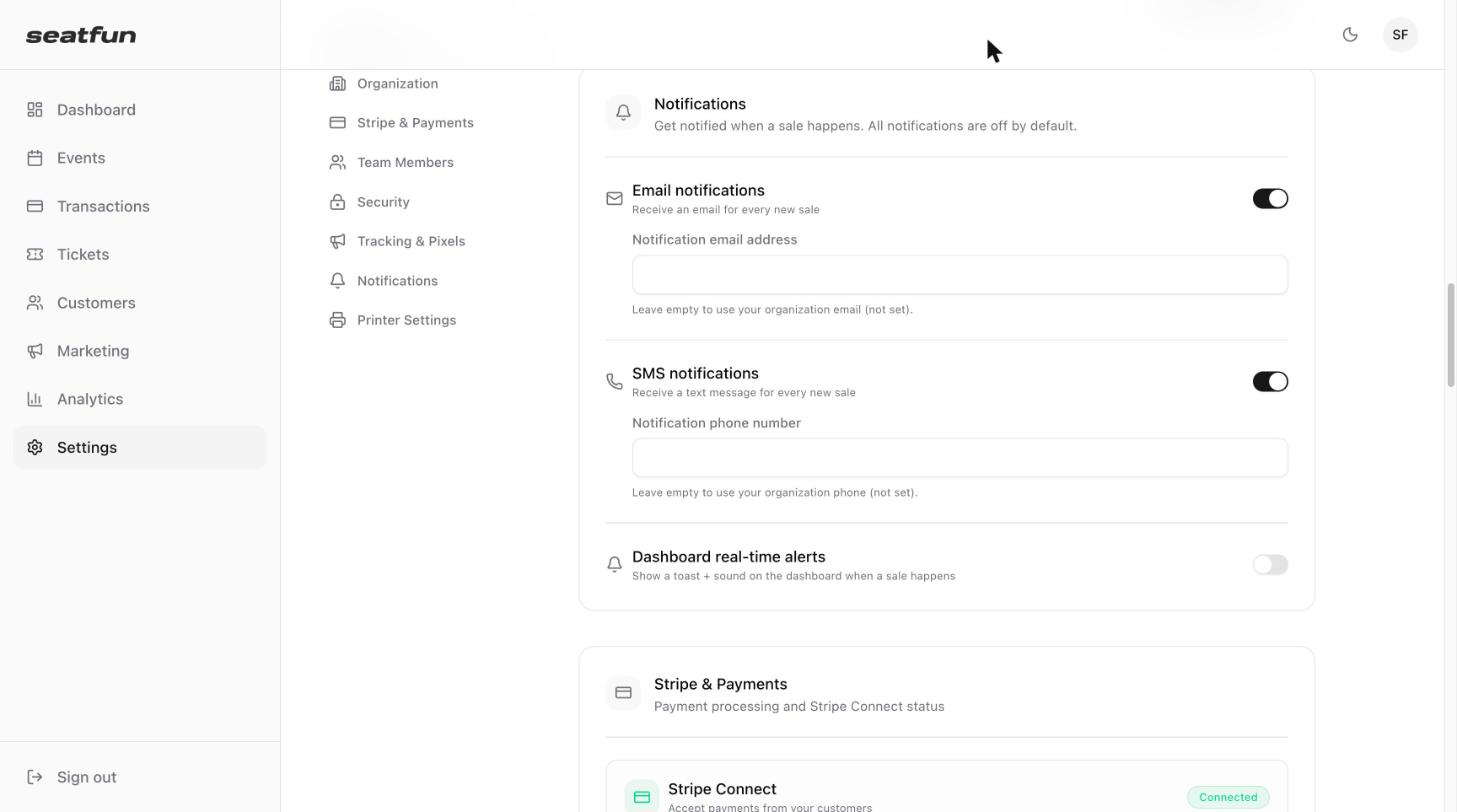
Notification | What you get | Where it goes |
|---|---|---|
Email notifications | An email for every new sale. | The Notification email address you enter. Leave it empty to use your organization's contact email. |
SMS notifications | A text message for every new sale. | The Notification phone number you enter. Leave it empty to use your organization's contact phone number. |
Dashboard real-time alerts | A pop-up message and a sound on the dashboard when a sale happens. | Your SeatFun dashboard, while you have it open. |

Choose the right notification for the moment
Before an on-sale or announcement: Turn on Dashboard real-time alerts and keep the dashboard open to watch sales come in.
For day-to-day sales: Use Email notifications so you have a record of each sale in your inbox.
When you are away from your desk: Use SMS notifications.

Turn notifications off
Go back to Settings, select Notifications, and turn the switch off for each type you no longer want.