
Your organization profile holds the details buyers see about you, such as your name, logo, and contact information. It also gives you a public page that lists all of your upcoming events.
Open your organization profile
In the left menu, select Settings.
Select Organization in the settings menu.
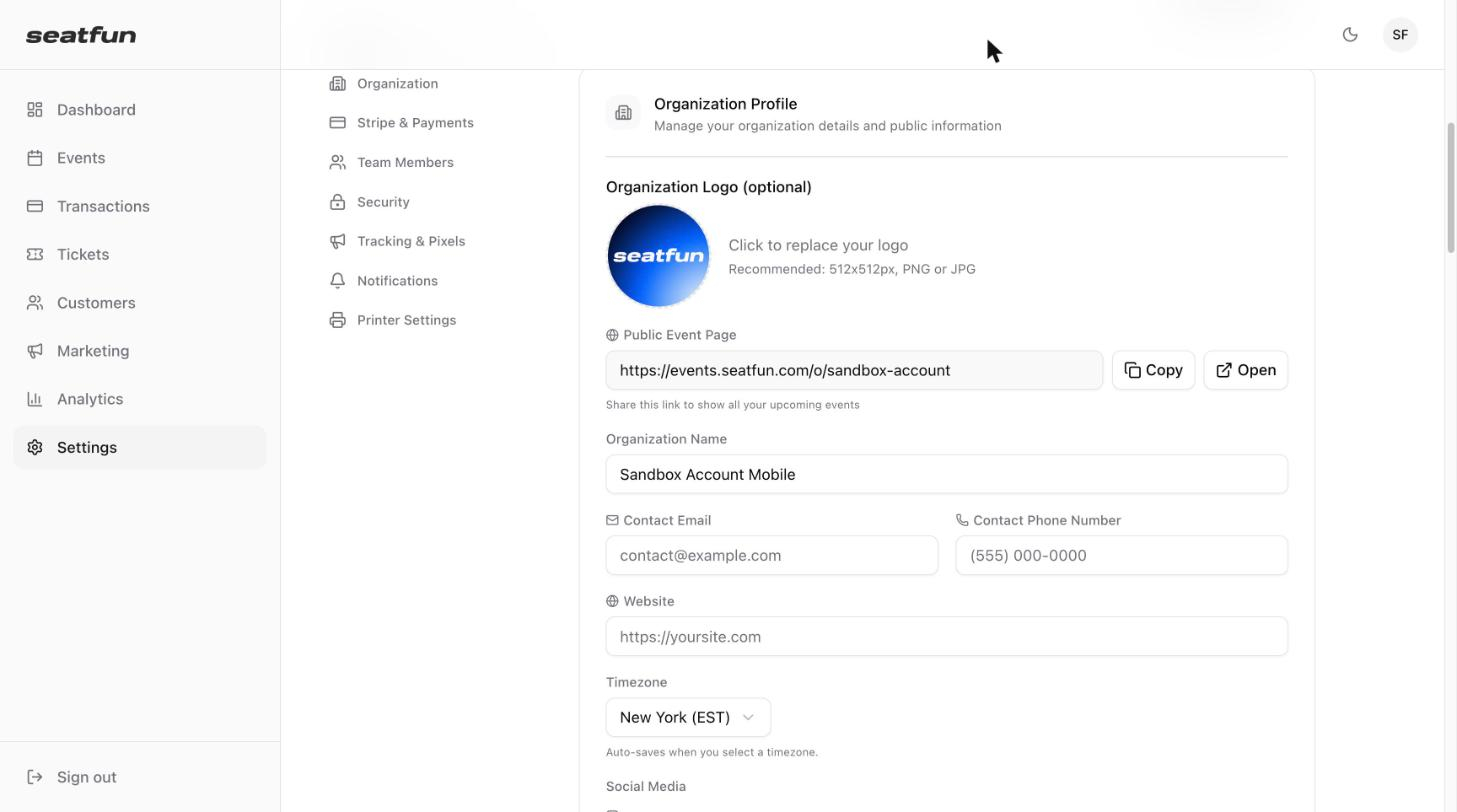
Update your organization's details
Field | What to enter |
|---|---|
Organization Logo | Optional. Select the logo to upload or replace it. A square PNG or JPG of 512x512px works best. |
Organization Name | The name buyers see on your events. |
Contact Email | An email address buyers can use to reach you. |
Contact Phone Number | A phone number buyers can use to reach you. |
Website | The address of your website. |
Timezone | The timezone your organization works in. |
Social Media | Your Instagram, Facebook, and Twitter / X accounts. |
When you are done, select Save Organization.

Share your public events page
Your organization has one public page that shows all of your upcoming events. The link is under Public Event Page.
Select Copy to copy the link.
Select Open to view the page in a new tab.