
Your profile holds your own name and phone number. It is separate from your organization's details, which every team member shares.
Update your profile
In the left menu, select Settings. The Profile section opens first.
Update your First Name, Last Name, or Phone Number.
Select Save Profile.
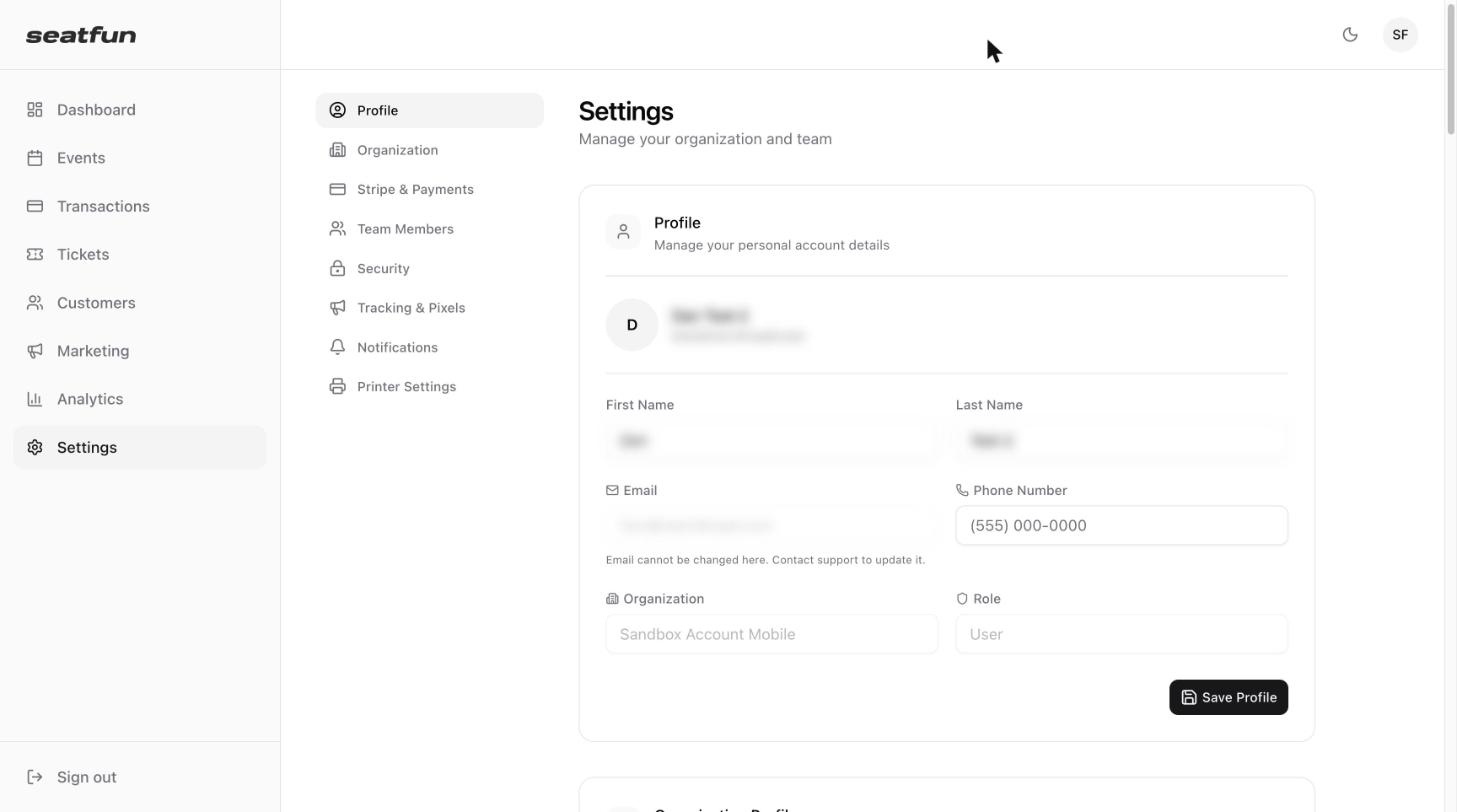
Field | Can you change it? |
|---|---|
First Name and Last Name | Yes. |
Phone Number | Yes. |
No. Contact support to update your email address. | |
Organization | No. This shows the organization your account belongs to. |
Role | No. This shows your role in the organization. |
Change your password
In Settings, select Security.
Enter your Current Password.
Enter a New Password, then enter it again under Confirm New Password.
Select Update Password.
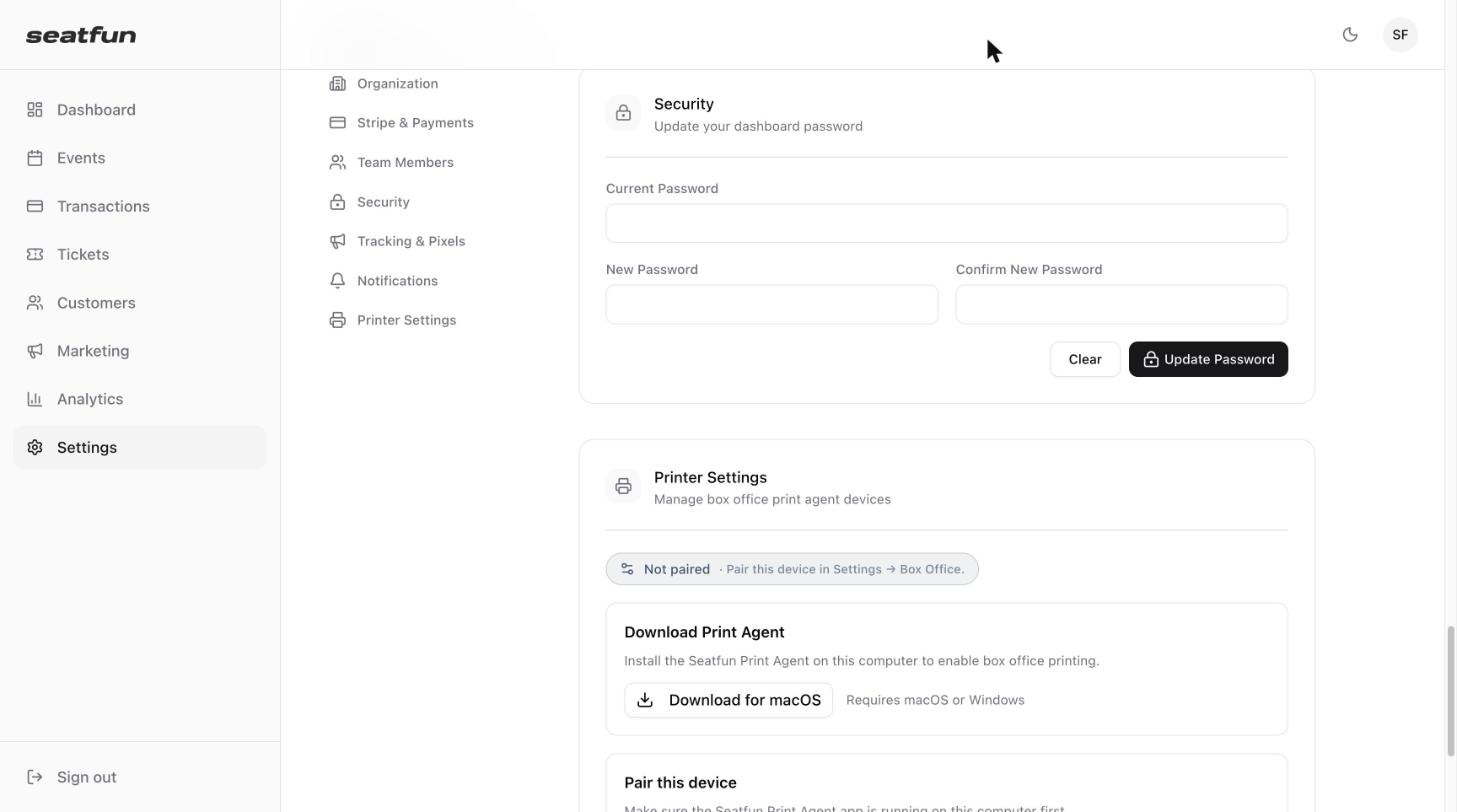
Select Clear to empty all three fields and start again.
Switch between light and dark mode
Select the moon icon in the top right corner of any screen to change the dashboard's appearance.
Sign out
Select Sign out at the bottom of the left menu, or select the circle with your initials in the top right corner and choose Sign out.