
The Customers page shows everyone who has bought tickets from you. SeatFun builds the list automatically from your orders, so there is nothing to set up.
Open your customer list
In the left menu, select Customers.
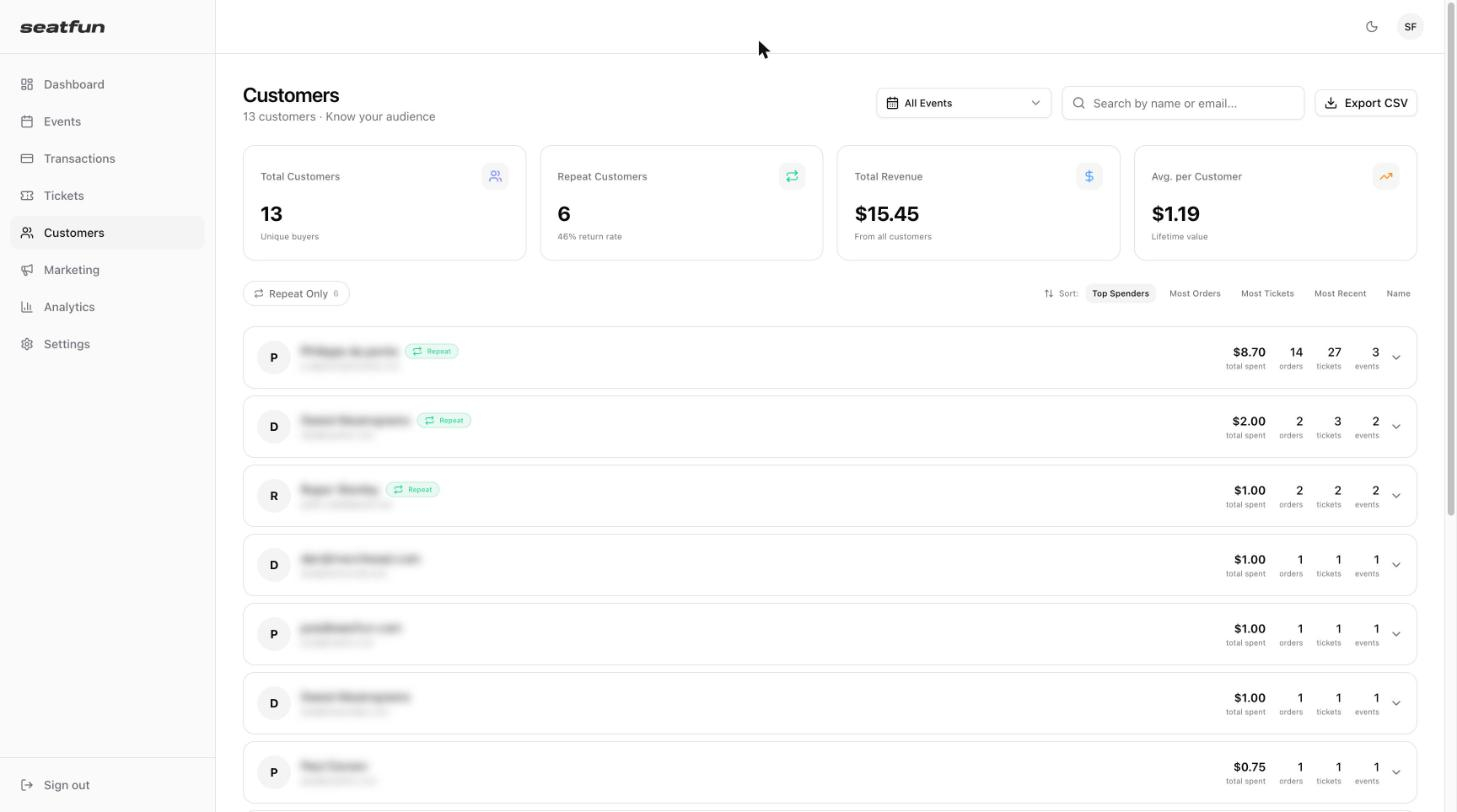
Read the summary numbers
Metric | What it shows |
|---|---|
Total Customers | Number of unique buyers. |
Repeat Customers | Number of buyers who have ordered more than once, and your return rate. |
Total Revenue | Total amount spent by all customers. |
Avg. per Customer | Average lifetime value of a customer. |
Find and sort customers
By event: Select the All Events menu and choose an event to see only its buyers.
By search: Type a name or email in the search box.
Repeat buyers only: Select Repeat Only.
Sort: Choose Top Spenders, Most Orders, Most Tickets, Most Recent, or Name.
Each customer's row shows their total spent, number of orders, number of tickets, and number of events. Returning buyers have a Repeat badge.
See a customer's history
Select the arrow at the end of a customer's row to expand it.
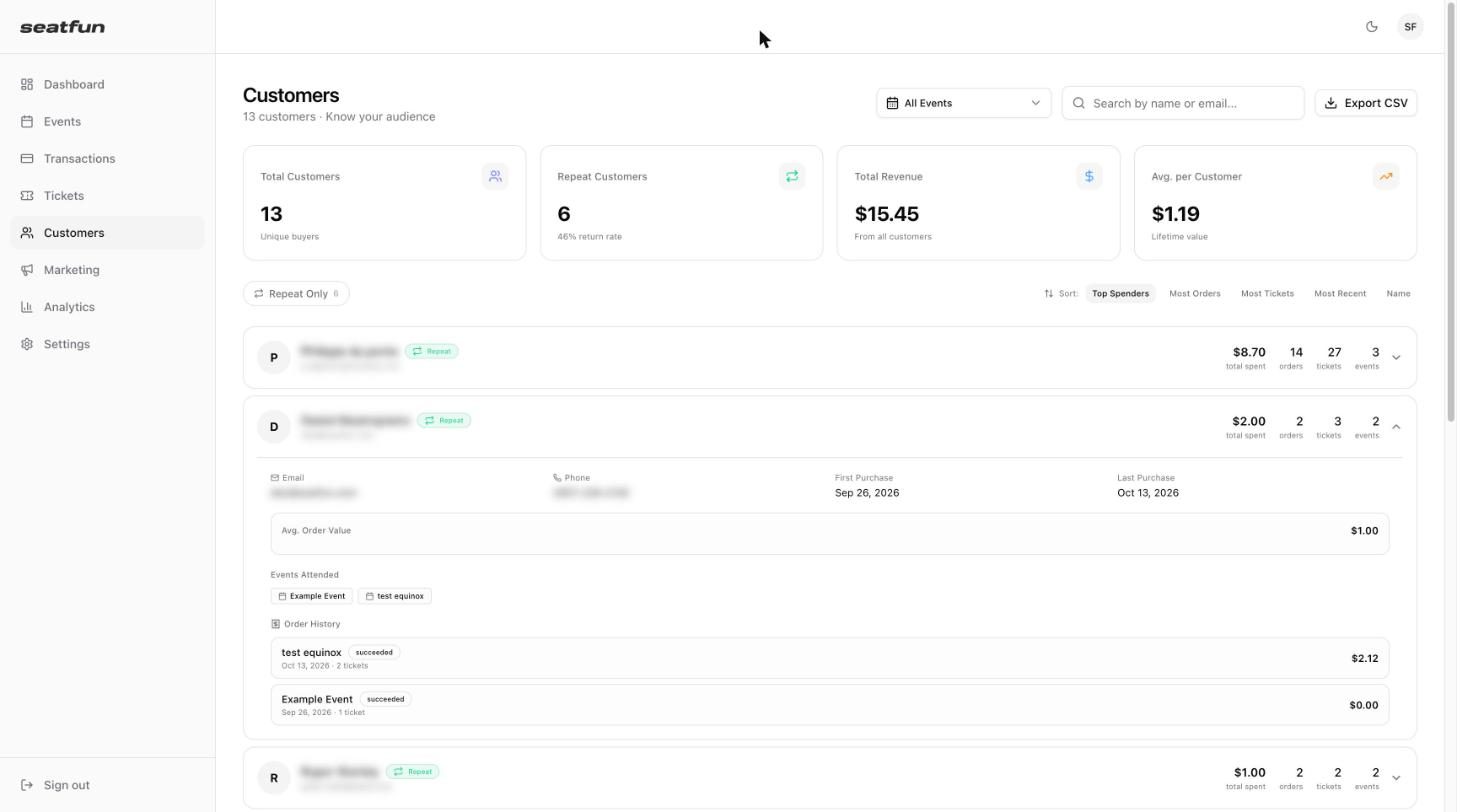
The expanded row shows the customer's:
Email and phone number
First and last purchase dates
Average order value
Events attended
Order history, with the date, ticket count, and amount of each order
Export your customers
Select Export CSV in the top right to download your customer list as a spreadsheet file.
