
A presale lets a chosen group, such as fan club members or sponsors, get early access to your event. When presale access is on, buyers must enter a presale code before they can buy tickets.

Turn on presale access
In the left menu, select Events.
Select the ⋯ menu at the end of your event's row, then select Open Command Center.
Select the Extras tab.
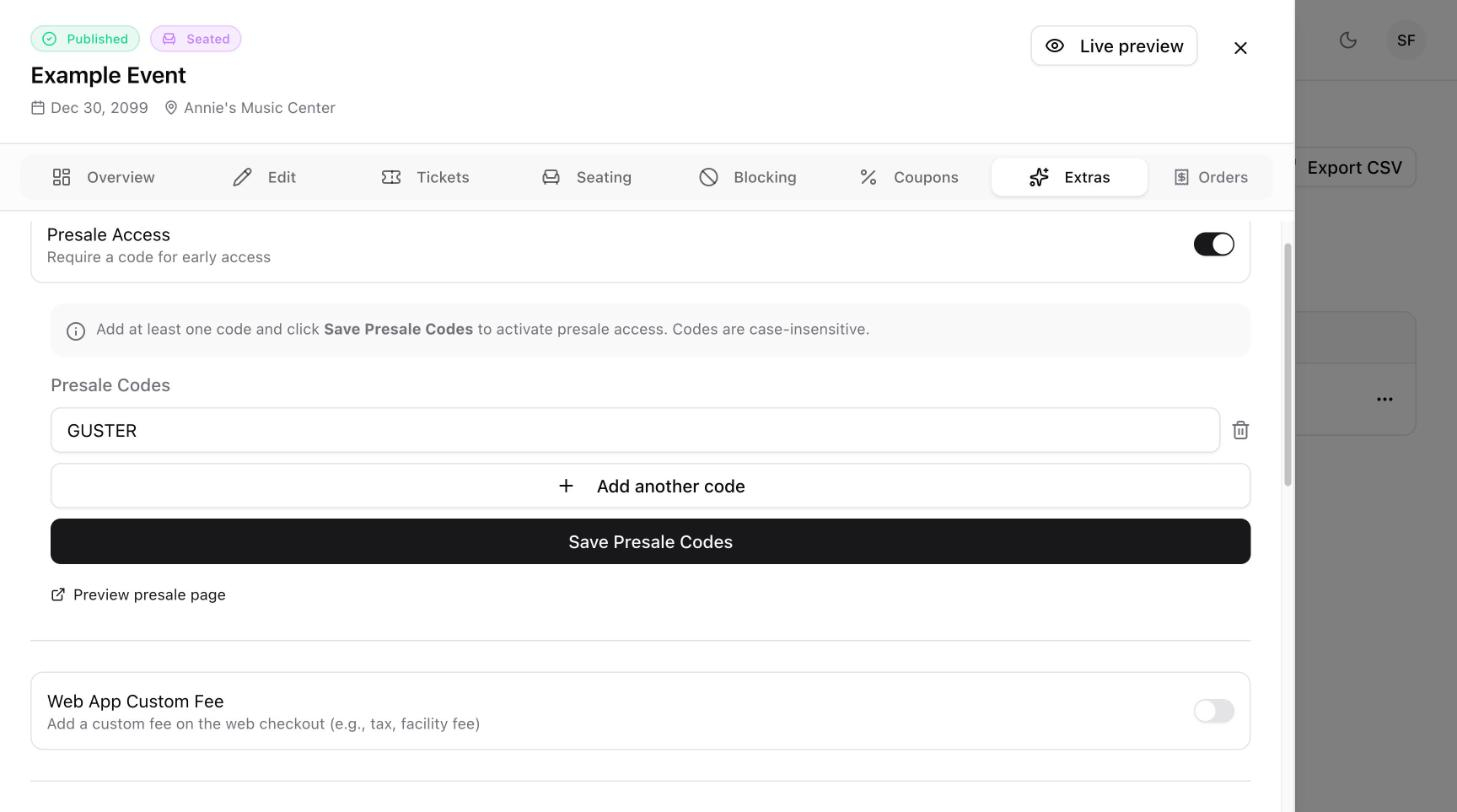
Turn on Presale Access.
Add your presale codes
Under Presale Codes, type a code, for example
EARLYBIRD2026.To add more codes, select Add another code. To remove a code, select the trash icon next to it.
Select Save Presale Codes.

Good to know
Codes are not case-sensitive. A buyer can type
earlybird2026orEARLYBIRD2026.Select Preview presale page to see what buyers see before they enter a code.
You can create different codes for different groups so each group has its own code to share.
End the presale
When you are ready to open sales to everyone, go back to the Extras tab and turn Presale Access off.