Public live tracking gives you a read-only link that shows live ticket sales and check-ins for an event. Share it with people who need to follow the numbers but don't need access to your account, such as promoters, artist teams, or venue managers.
In the left menu, select Events.
Select the ⋯ menu at the end of your event's row, then select Open Command Center.
Select the Extras tab and scroll to Public Live Tracking.
Turn on Enable public live tracking. A Share link appears.
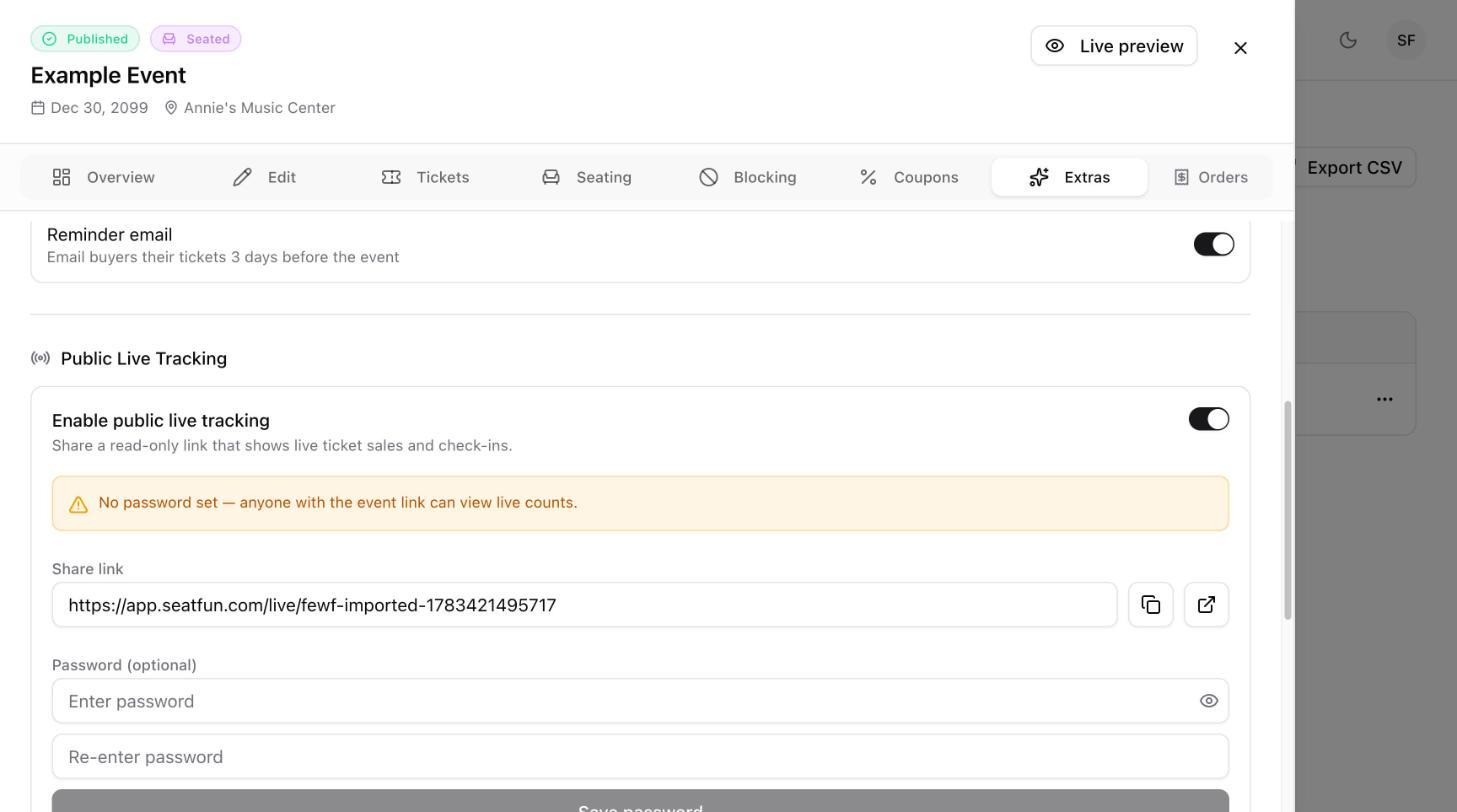
Select the copy icon next to the share link to copy it.
Select the open icon to view the live tracking page yourself in a new tab.
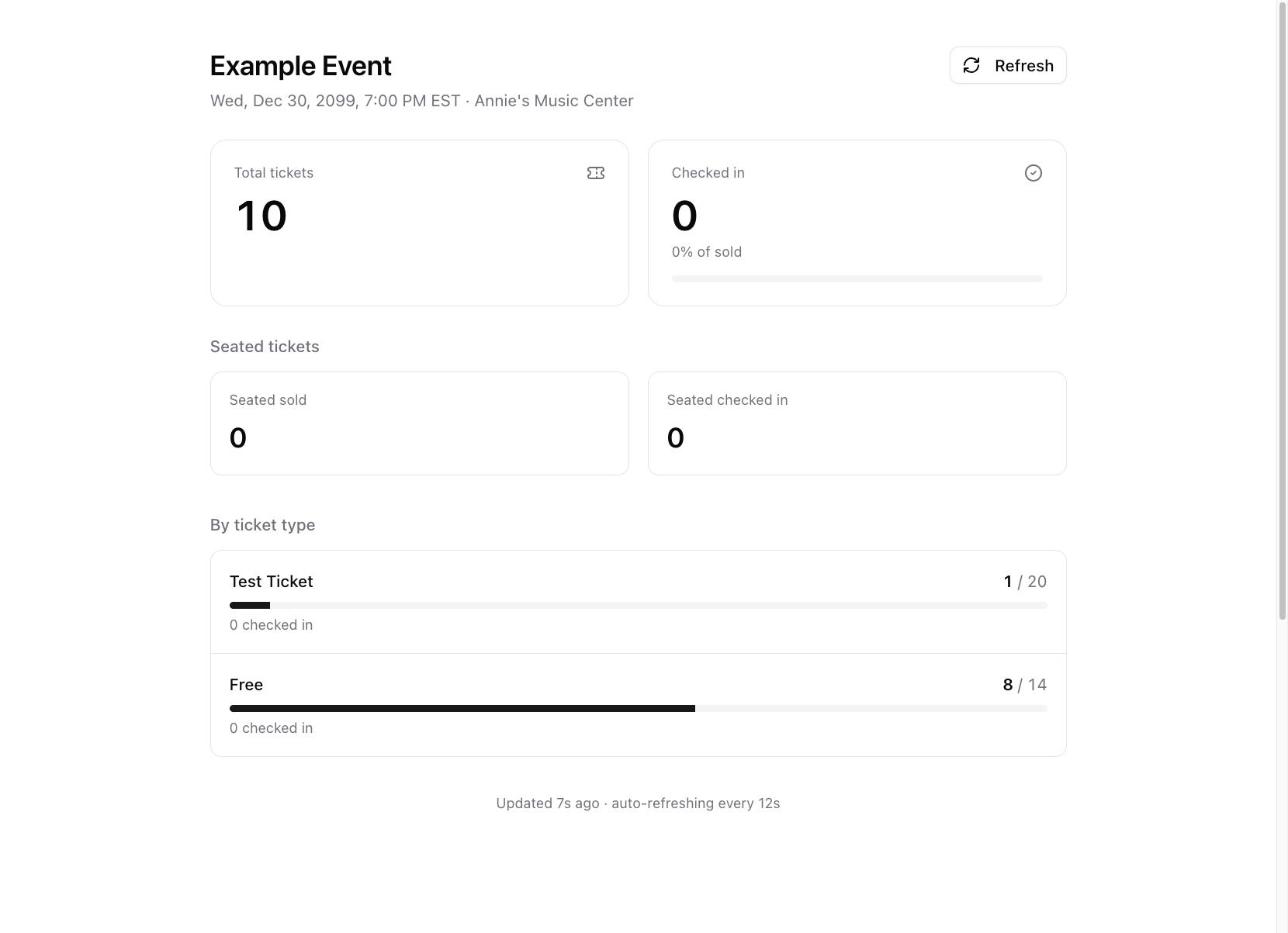
The public page shows the total tickets sold, how many have been checked in, and sales for each ticket type. It refreshes automatically every few seconds.
Until you set a password, a yellow notice reminds you that anyone with the link can view the live counts.
Under Password (optional), enter a password, then enter it again to confirm.
Select Save password.
Viewers enter the password once every 12 hours. To remove the password, clear both fields and select Save password.
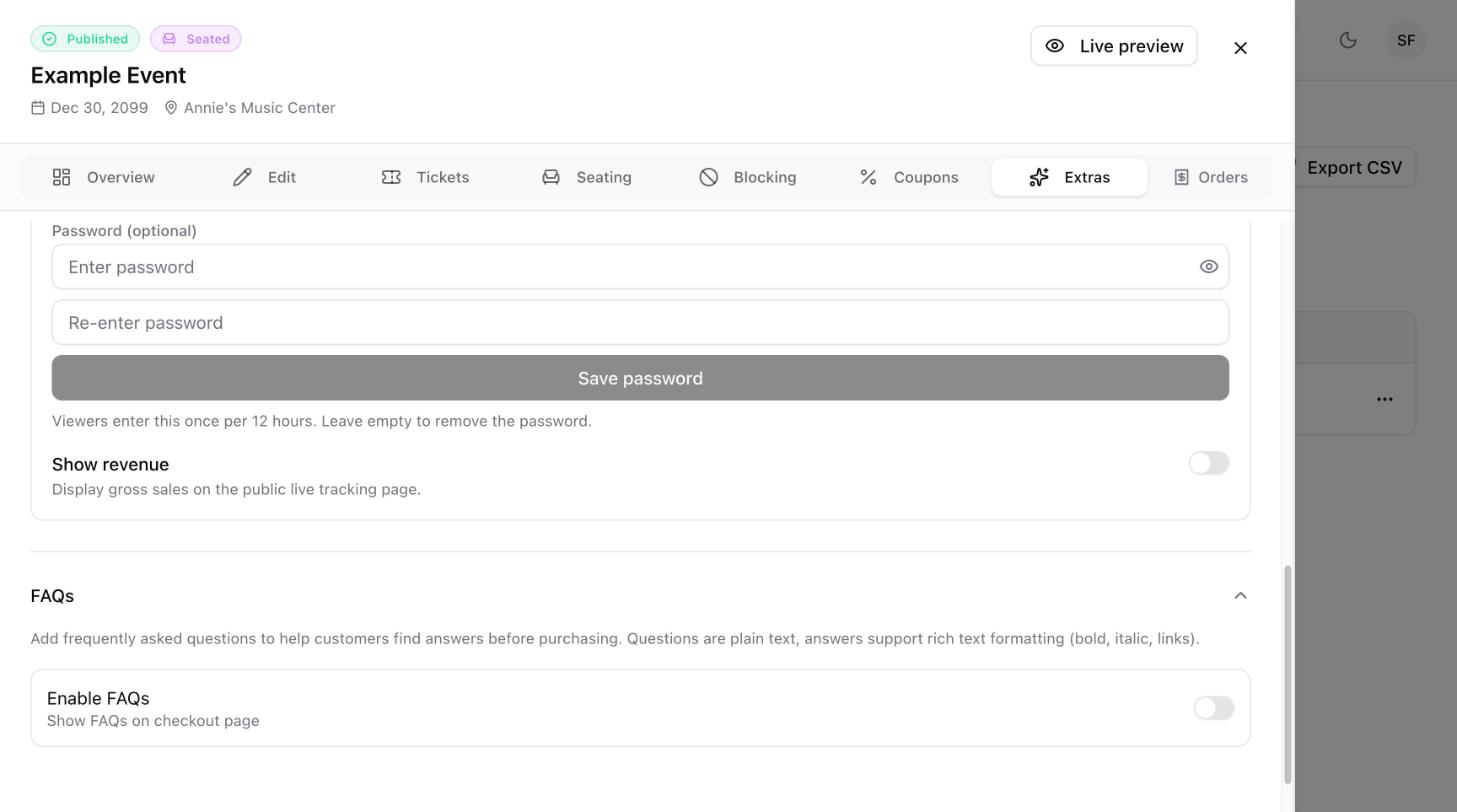
By default, the public page shows ticket counts and check-ins only. Turn on Show revenue to also display gross sales.

Go back to the Extras tab and turn Enable public live tracking off.
