
SeatFun can email buyers their tickets again shortly before your event, so they have them handy on the day. The reminder goes out 3 days before the event starts.
Turn the reminder email on or off
In the left menu, select Events.
Select the ⋯ menu at the end of your event's row, then select Open Command Center.
Select the Extras tab.
Find Reminder email and turn the switch on or off.
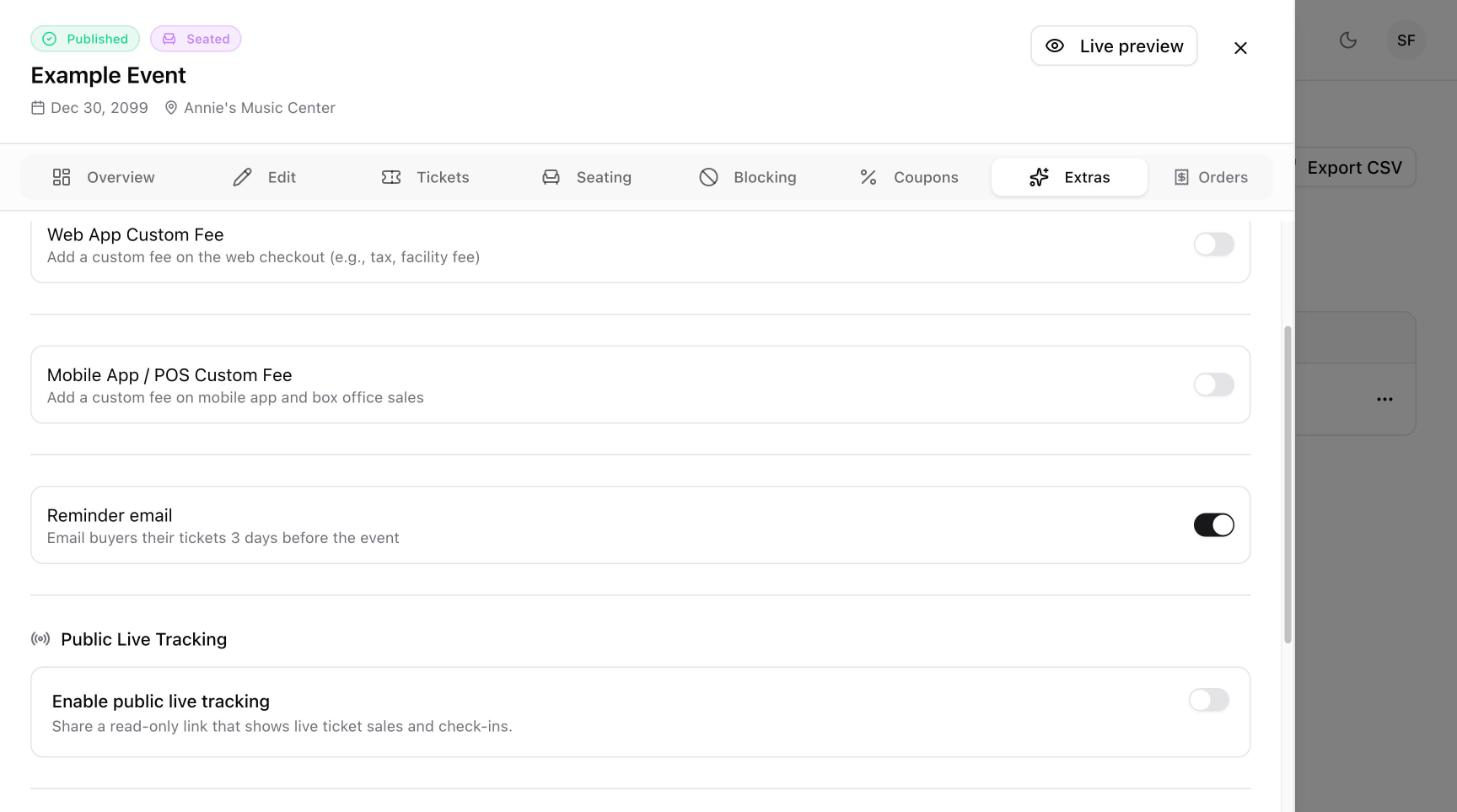
The setting applies to this event only, so you can choose a different setting for each event.
What buyers receive
When the reminder is on, each buyer gets an email with their tickets 3 days before the event. They don't need to do anything to receive it.

Tip: Want to add your own message, such as door times or parking details? Send an email blast to the event's attendees from Marketing, using the Event Reminder template.