For events with reserved seating, seats are grouped into categories such as Orchestra, Mezzanine, or Balcony. Each category has its own price, and buyers see that price when they pick a seat.

In the left menu, select Events.
Select the ⋯ menu at the end of your event's row, then select Open Command Center.
Select the Seating tab.
The Seat Categories & Pricing list shows every category on your seating chart. For each one you can see its name, description, price, and how many seats are sold, remaining, and blocked.
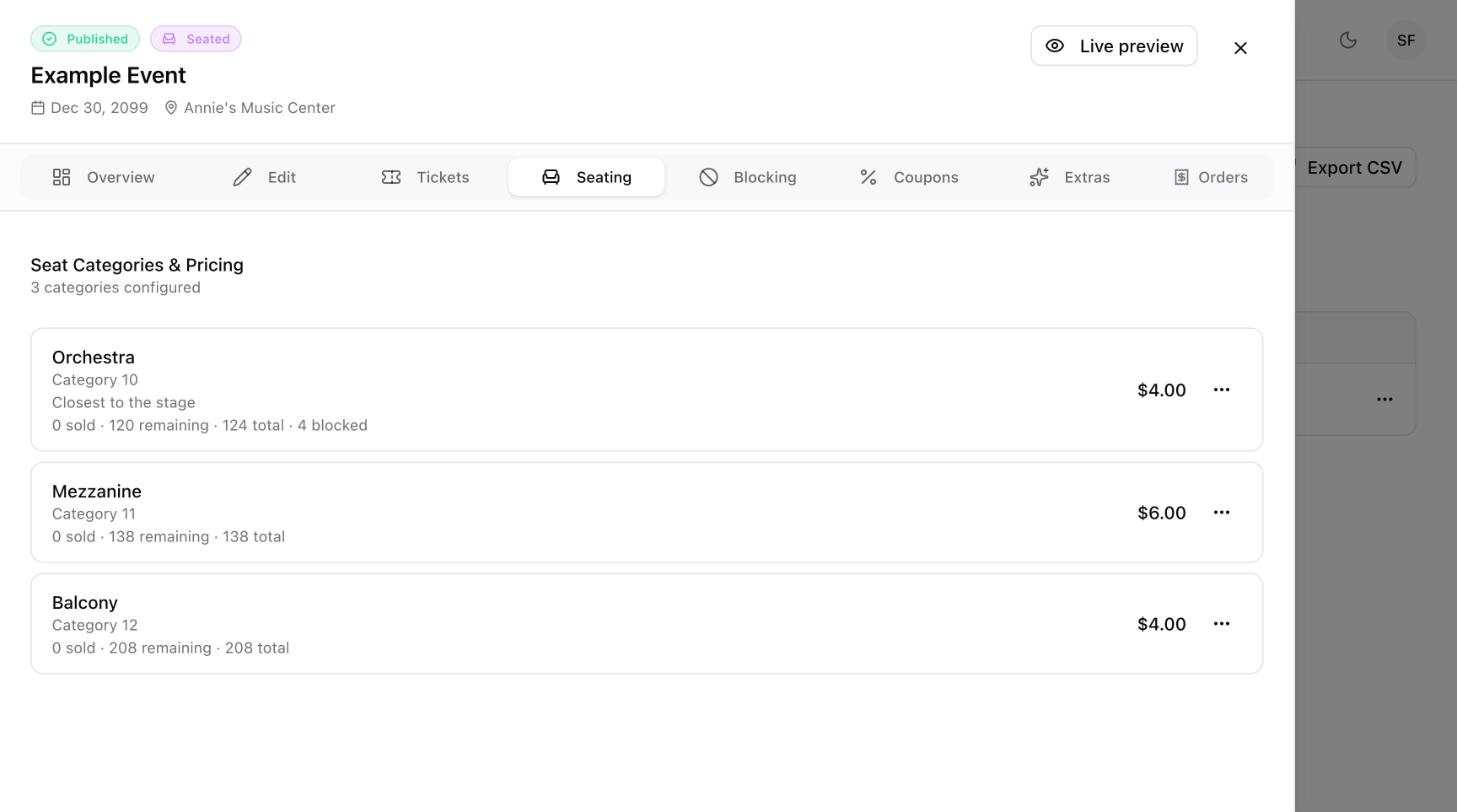
Select the ⋯ menu on the category.
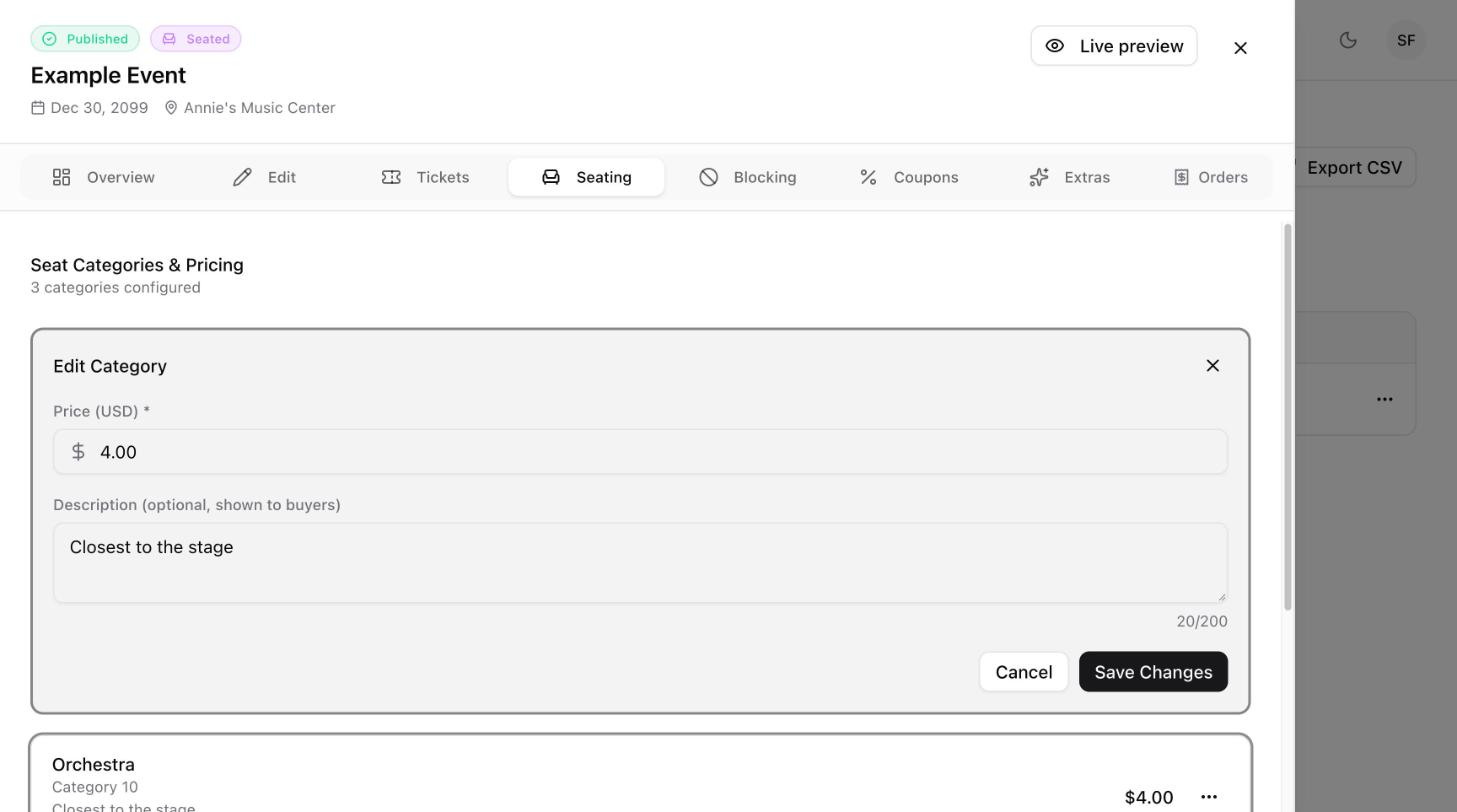
Select Edit. The Edit Category form opens.
Update the fields.
Field | What to enter |
|---|---|
Price (USD) | The price of one seat in this category. Required. |
Description | Optional. A short note shown to buyers, for example |
Select Save Changes.
Select the ⋯ menu on the category.
Select Delete.

